/ › Blog › Apple Notes importer for LAS/SBS
    Membership · Sign in

    On this page

    • Apple Notes importer for LAS/SBS
      • Download now includes an import utility

    Info

    • Author: Johnny
    • Date: 2026-11-13
    • Link: jdcm.al/blog/0267

    Community

    Get help with this topic in its forum thread, or in the blog channel on Discord.

    • Forum
    • Discord (join server)

    Membership

    • Life Admin System The simplest way to organise your home life.
    • University Johnny.Decimal 101.System-building workshop.Task &Β project management.
    • Small Business System The fastest way to organise your small business.

    Apple Notes importer for LAS/SBS

    The Apple Notes import feature is broken. It's always been garbage – I just don't think Apple cares about it at all.

    In the current version, you can't import a nested folder of notes using the 'Preserve folder structure on import' feature. It just doesn't work. This breaks the LAS/SBS import process – all your notes end up in one flat folder.

    Download now includes an import utility

    The system downloads now include an import utility. Find it in the JDex files > Apple Notes folder.
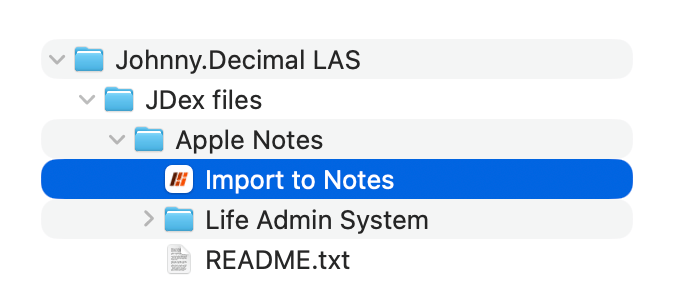
    Screenshot of this utility in its folder.

    Double-click it, approve a bunch of warnings and prompts, wait a minute while each of the imported notes is moved into its proper folder, and you're done. More details are in the README.

    Until Apple breaks something else… 🫑


    β—€ Back Editorial policy: no pa… (Use the ← arrow keys β†’)

    Learn

    • Documentation
    • Blog
    • Search

    About

    • About us
    • Policies
    • Sitemap

    Support

    • Contact
    • Support
    • Community