/ › Support › Error: 'Windows cannot open the folder'
    Sign in

    On this page

    • Error: 'Windows cannot open the folder'
      • Cause
      • Solution

    Troubleshooting & how-to

    • How to: Search and navigate this site
    • Error: 'Windows cannot open the folder'
    • JDex app not supported

    Error: 'Windows cannot open the folder'

    When you try to open the downloaded folder on Windows you see this:
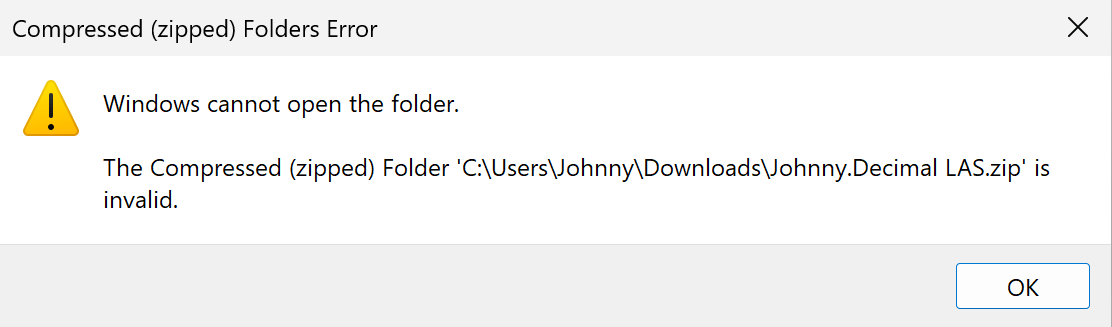
    A screenshot of this Windows error. The Compressed (zipped) folder 'C:\Users\<you>\Downloads\Johnny.Decimal LAS.zip' is invalid.
    Figure 62.36A. 'C:\Users\<you>\Downloads\Johnny.Decimal LAS.zip' is invalid.

    Cause

    The file you downloaded from this site contains emoji. Windows isn't very good at handling zip files that contain emoji.

    Solution

    Option 1: Turn off emoji1

    1. Go to Settings and then the system settings you want.
    2. Change Use emoji? to No.
    3. Go to Downloads and download your system again.

    Option 2: Use 7-Zip

    If you want to use emoji you can use 7-Zip to unzip the file. This is advanced-level Windows and is left as an exercise for the reader.

    Footnotes

    1. Emoji aren't great on Windows, you won't be missing much. ↩


    β—€ Back How to: Search and navi… JDex app not supported Next β–Ά (Use the ← arrow keys β†’)

    Written by humans • Search • Support