Extend the end: Guidelines
Usage considerations
Extending the end is for when you have an ID that needs to be repeated in some way.
Of the three system expansion strategies, creating a child ID to extend the end is the simplest and therefore most preferred.
As well as extending an ID it can be used to link JDex child notes back to a parent note.
Recording child notes
Traditionally, each of your IDs has a single JDex entry: it is this entry that defines the ID. But one note can get long and become difficult to manage.
To create child notes, just use the + after the ID in the note title.
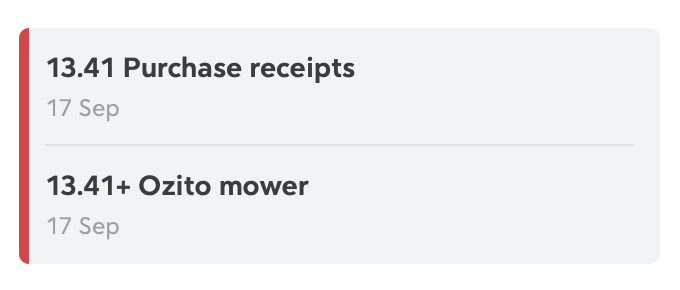
For example, I needed to record a long transaction history for a lawnmower warranty return. 13.41 Purchase receipts is the home for this, but I didn't want to clutter the parent note.
I created a child note, 13.41+ Ozito mower. This note is an instance of 13.41, and the + makes it sort below the parent note.
Your filesystem
The child ID can be thought of as a filesystem subfolder. You might choose to keep 'primary' items in the ID folder and create subfolders for each child ID. Or you might find it neater to keep everything in subfolders.
Regardless, if you create a subfolder for an extended item, name it with the +, e.g. + Wendy. This signals to you that this folder is special: it isn't just some subfolder you've created. It has a JDex entry.
These folders will also sort above all other subfolders.
11.63 Veterinary care
├──── 2022-03-21 General chicken care.pdf
├──── + Belinda/
│     └── 2023-02-14 Wing x-ray.png
├──── + Marie/
│     └── 2024-07-08 Beak clip.pdf
└──── + Wendy/
      └── 2023-08-11 Sore eye.pdf