/ › Blog › JD IDs as a shortcut
    Sign in

    On this page

    • JD IDs as a shortcut

    Info

    • Author: Johnny
    • Date: 2024-03-25
    • Link: jdcm.al/blog/0031

    Community

    • Forum
    • Discord (join server)

    Free account

    I'll email you a free 3-lesson course to get started. No trackers, one-click unsubscribe.

    You've got mail. Click the link in the email to set up your account.

    Didn't get it? Check your spam folder, or email hello@johnnydecimal.com.

    JD IDs as a shortcut

    Here's a quick tip that I use all the time.

    You're saving (or opening) a file. Up pops the trusty system dialog box. And you're nowhere near the folder you need.

    Type the Johnny.Decimal ID of that folder in the 'Search' box there. Make sure 'This Mac' is selected next to 'Search'.
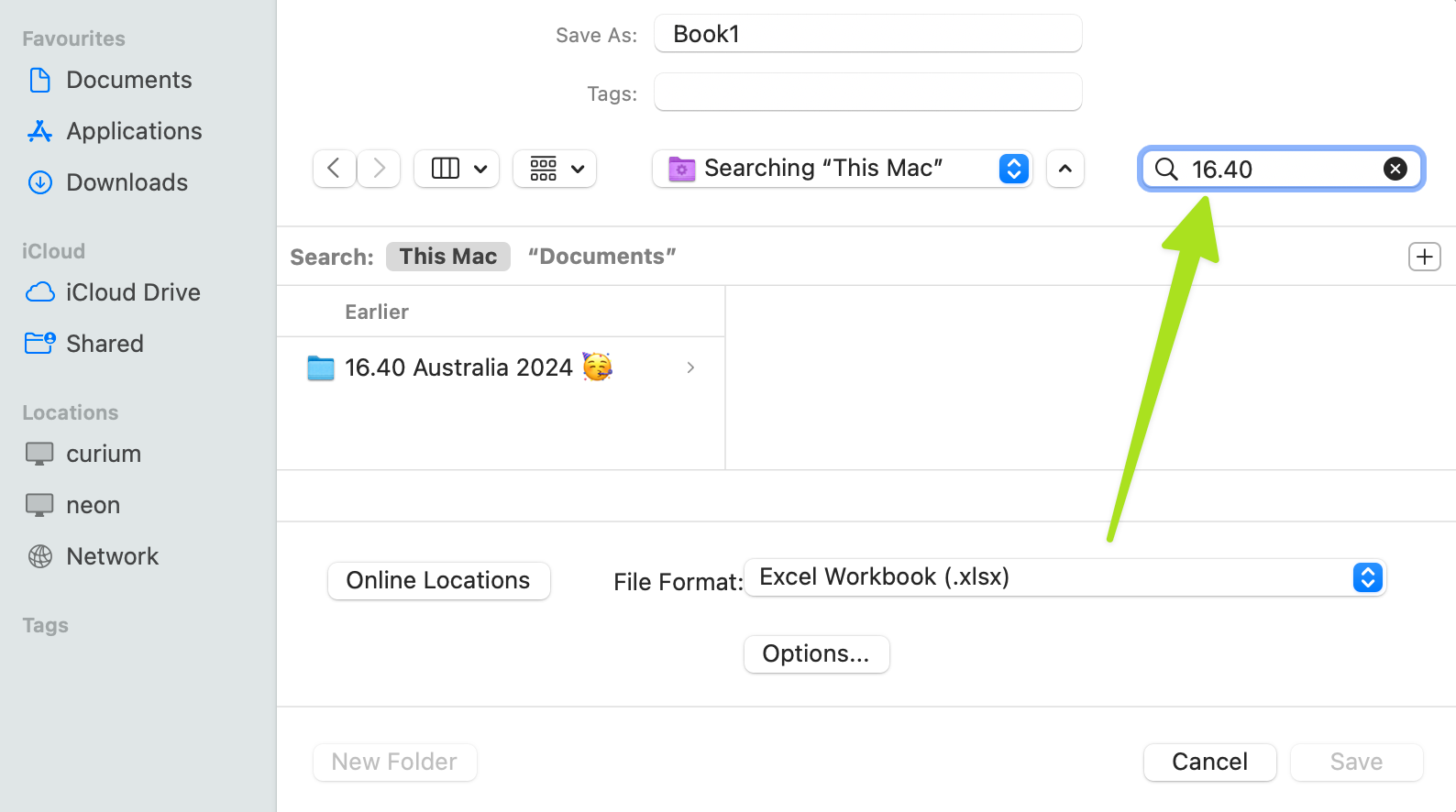
    A screenshot of a macOS Finder open/save dialog. The 'search' field at the upper right is highlighted.

    And there you go. Instant navigation to any folder, wherever it happens to be.


    β—€ Back play.jdcm.al shutting d… Index cards to the resc… Next β–Ά (Use the ← arrow keys β†’)

    Written by humans • Search • Support