Managing email
Email is notably different from your filesystem, in the volume of items that you typically receive. Few of us create 20 new files every day, but we could easily get that many new emails.
Here are some strategies for dealing with your email.
File the important stuff
It's unrealistic, and almost certainly a waste of time, to file every email you get.
But when you know you might want to recall this thing – a travel booking, a policy document, or a written agreement to start some work – you should file it.
We do this in exactly the same way that we store our files: in neat Johnny.Decimal folders.
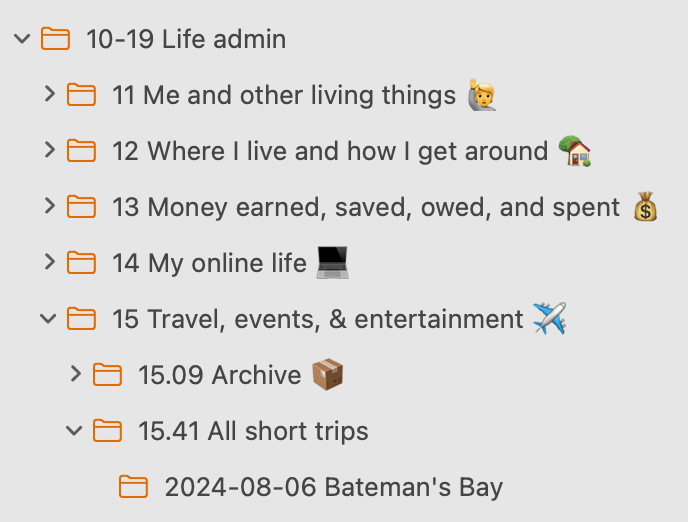
Archive everything else
A general rule with email is: never delete anything. Archive it. You can always find it later using search.
Gmail does this by default. When you 'archive' an email, it's just removed from your Inbox. It isn't actually deleted.
If you use another system you'll need to figure out how to do this. Ask for help on the forum or Discord.
Use IDs in the subject
If you put an ID in the subject of your email, it makes it really easy to find later.
I put it at the end, in [square brackets]. For example when I used to send weekly timesheets to my boss, the subject looked like this:
Subject: Timesheets to approve [14.11]Now I can tell him to search for [14.11] and my email appears from his pile of unread messages.
At work
At previous jobs, it was common for me to receive hundreds of emails a day. This is clearly unmanageable.
I think there are two ways to deal with this.
Give up
First is just to give up. I'm serious! Recognise, consciously, that 100+ emails a day is not a thing that you can meaningfully manage. It's not your fault: the organisation enables this behaviour. So don't feel bad.
Be the Librarian
Second is to be the Librarian for your project. This used to be me. So now you're the person who can find any email: but your boss needs to know that you'll be spending up to 20% of your week filing messages.
This can be incredibly valuable. But if anyone thinks that it comes for free, they're a fool.
Outlook's filters and rules
Outlook has powerful filtering rules that you should use. Be aware that Microsoft seems intent on turning Outlook in to Hotmail. When offered 'the new Outlook', decline.
Related blog post: Taming Outlook.