/tmp is bad
In recording the upcoming (soon, I promise) JDU series on task and project management, I'm switching out my real Things database with a test database so I can show some simple examples rather than all of my own actual stuff.
This is easy enough: just move a file from one place to another place. I'm using the 'leave Finder windows permanently open in a known place' trick to great effect: I have a new Finder window (not the usual one I have open in that video) with 2× tabs open specifically for this.
One tab is that ~/Library/… location as per the Things article. That's my live Things database. And the other is some other location where I'm storing copies of that database as I swap in my real file out for the demo.
My nemesis
So I rebooted, and that Finder window went away, and I had to set it up again.
Aaannnnddd … I didn't know where that second folder was. The one with the demo databases. There it is again, my nemesis: I don't know where a thing is.
Fortunately you can search for stuff, and you can search by file type, and in macOS this is quite intuitive.
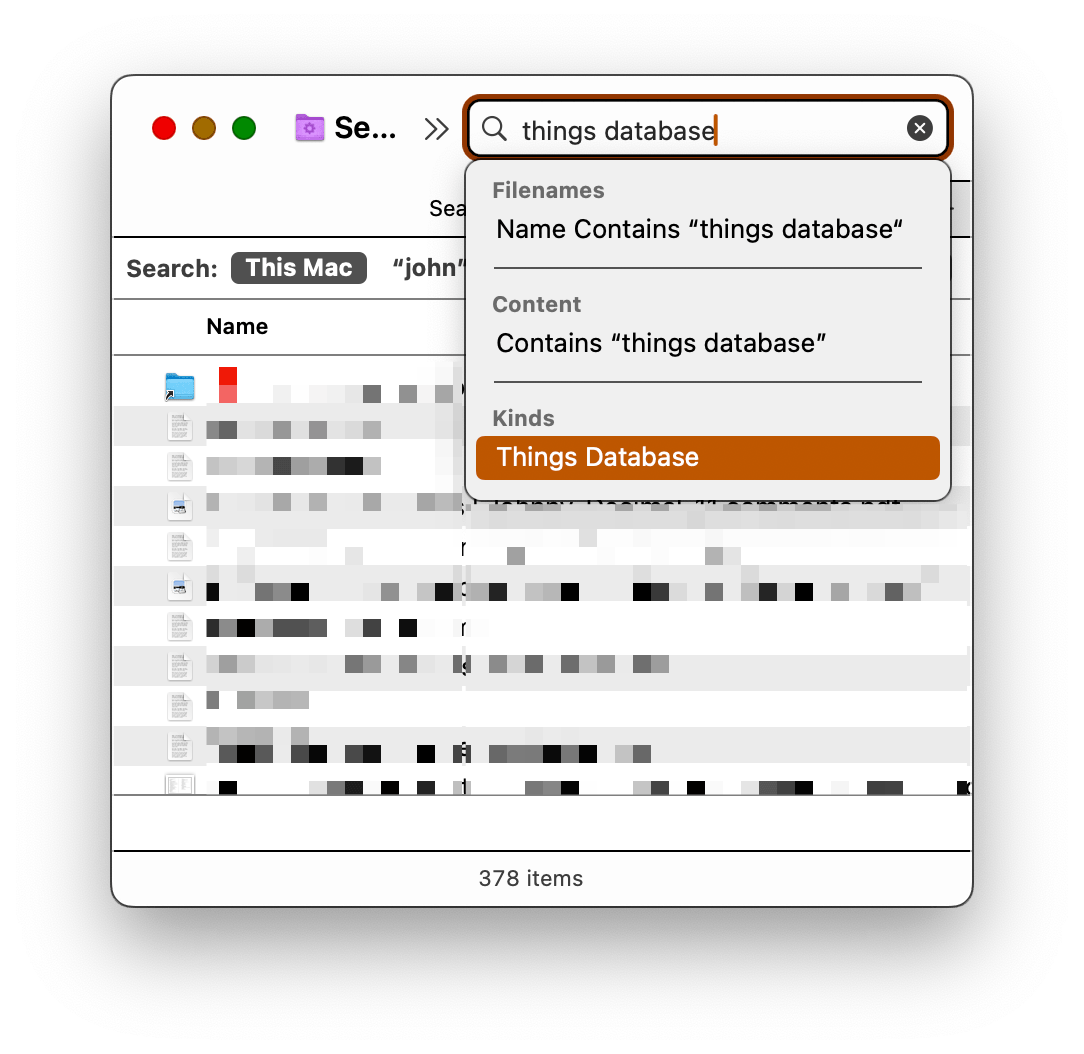
That search field in your Finder window understands file types. So here I'm searching for Things Database, and when I select that item it shows me only those items. This quickly revealed the location I'd chosen, a few weeks ago.
~/tmp
I have a folder called tmp (not backed up) which is exactly what it sounds like. I use it for stuff I know you won't need forever, and it's excluded from backups so I don't send gigs across the wire unnecessarily.
That's where I'd put this stuff. 🤦🏼♂️ Why? I don't know. A quick, lazy decision.
Where should it be?
Where it belongs: in the folder for this project, which is 21.41. And a note in my JDex so that if I search there, it'll surface.
Beware of 'temporary' folders of any nature. Your Desktop and Downloads are temporary folders. Don't store things there. You'll lose them, or you'll be frustrated as you have to look for them.
Doing the right thing takes an extra ten seconds.
100% human. 0% AI. Always.